
News List

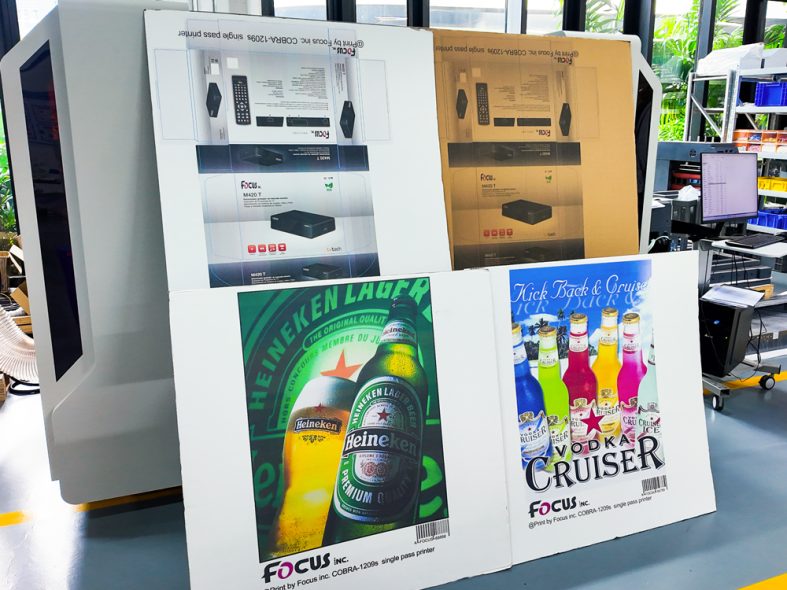
Industrial single pass printers work for long hours every day. Scientific daily operation and regular maintenance can greatly reduce failure rate. It also extends the overall service life of the equipment. Many small faults are caused by irregular operation and neglected cleaning. Here is a practical maintenance guide for global packaging printing factories.
Operators need to follow standard steps before starting the digital printing machine. Check material tension and feeding status first. Do not put irregular or damaged materials into the machine. They will cause jamming and damage internal parts.
Set parameters according to material types and printing requirements. Do not adjust key parameters randomly during running. Stop the machine completely before replacing materials or files. Standard operation is the first line of defense against faults.
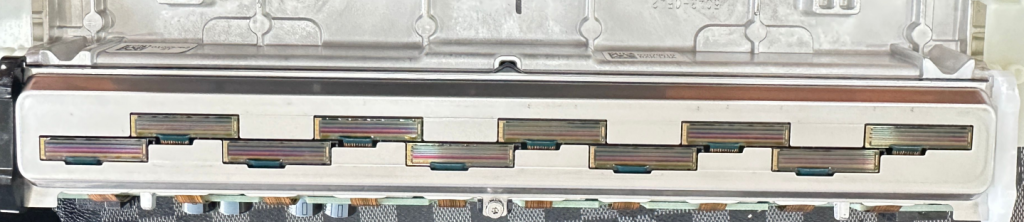
The printhead is a precise component. Clean ink residue on the printhead regularly with professional tools. Dirty printheads will lead to broken lines and uneven ink output. HP pagewide nozzles cleaning suggest to use soft non-woven fabrics to slightly wipe, thus to moist printhead nozzles. Then put on wet-keeping covers to stop days working.
One point that is easily overlooked is that after prolonged use, the internal temperature of the HP thermal inkjet printhead will rise. You need to gently wipe the surface of the printhead with a damp non-woven cloth to cool it down before putting on the printhead moisturizing cap, or wait 5-10 minutes for the printhead to cool down before putting on the moisturizing cap. This is to prevent the high temperature from drying out the ink in the nozzle and causing air blockage, or from damaging the life of the printhead nozzle and internal circuitry due to high temperature.
Clean dust and paper scraps inside the machine every day. These sundries may affect the normal operation of transmission parts. Keep the whole equipment and workshop dry and tidy. Humid environment will affect circuit and ink performance.
Arrange full inspection every one or two weeks. Check the running status of rollers, belts and sensors. Tighten loose parts in time.
Check ink supply pipeline, in case of lack of ink and air goes into ink system. Air in ink may cause airlock, and finally affect nozzles condition and lifetime. Ensure smooth ink delivery and normal curing/drying effect. Once abnormal signs are found, deal with them immediately or contacting with factory technique teams instead of delaying.
If the machine stops running for several days or months, carry out protective work. Protect the printhead to prevent ink from drying and blocking. Cut off the power supply and cover the equipment to avoid dust accumulation.
Simple daily maintenance (nozzles test check) takes little time, but brings huge benefits. It keeps your single pass printer in good condition and guarantees stable production all year round.
Get more operation manuals for our single pass printers
A: It may lead to material jamming, part damage and sudden equipment shutdown.
A: It is recommended to do simple cleaning every day and deep cleaning weekly.
A: Humidity and dust will affect circuit system and printing quality.
A: Protect printheads, cut off power and cover the machine to prevent dust.



Submit Request